
AI Couple Photo Generator — Two-Person Portraits



Two people in one frame introduces two failure modes that single portraits never hit. The first is exposure: models routinely expose for one face and let the other fall into shadow or blow out, especially when skin tones differ. The second is contact — a hand on a shoulder, fingers interlocked, two heads leaning together — where anatomy has to actually connect instead of hovering, and where most generated couple images give away that they were assembled rather than photographed. These templates are built to hold both faces on the same tonal register and to keep points of contact anatomically coherent, across a day-out scene, an embrace, a first-snow setup, a crosswalk frame and an evening collage.
Try it freeChoose a template

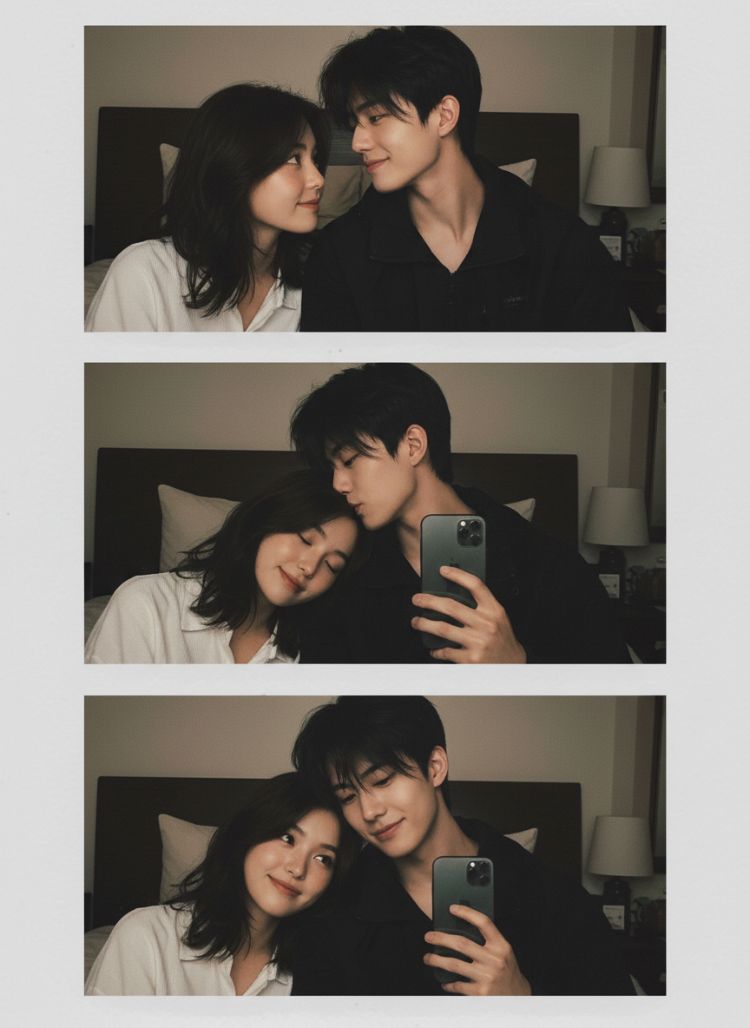
One photo of two people, or two separate photos
Both work and they fail differently. A single photo already containing both subjects keeps the relative scale and lighting consistent, so the composition holds together — this is the easier path. Two separate photos give you more control over each face but hand the template a reconciliation problem: two light directions, two colour temperatures, two apparent camera distances. If you go that route, the closer your two source photos are in lighting, the better the result, and that matters more than either photo being individually good.
Contact is where couple images give themselves away
A hand on a shoulder, fingers interlocked, two heads leaning together — anatomy has to actually connect, with weight and slight compression where skin meets skin. Most generated couple images have a hand hovering a millimetre off the body, and once you notice it you cannot unsee it. These templates constrain the contact points, but simpler contact is still more reliable than complex contact: a hand resting on a shoulder holds up far better than fully interlocked fingers.
The exposure problem, and why it matters more with different skin tones
Models routinely expose for one face and let the other fall into shadow or blow out. The effect is worse when the two subjects have different skin tones, because the model picks a middle exposure that flatters neither. These templates specify that both faces sit on the same tonal register, which is the direct fix. It is also the single clause people forget when they adapt a single-portrait prompt for two people — the most common reason a home-made couple prompt disappoints.
Which of the six to use

Couple photo and a day together are the everyday builds. Embrace is close-crop and the most dependent on good contact rendering. First snow and crosswalk are environment-led, where the setting does as much work as the subjects. The romantic night collage is a multi-frame layout rather than a single image, which suits a card or a post more than a print. For a wedding-specific look, the bridal templates handle fabric properly and this set does not.
How it works
- Prefer one photo containing both people; use two only if you need control over each face.
- If using two photos, match the lighting between them — that matters more than photo quality.
- Pick a template by how much the environment should carry: close embrace or scene-led.
- Check both faces for equal exposure first, then check the points of contact.
- Keep contact simple — a hand on a shoulder renders far more reliably than interlocked fingers.
- For bridal looks, switch to the wedding templates, which handle dress fabric properly.
FAQ
Can I make a couple photo from two separate pictures?
Yes — that is the normal case. Use one clear photo of each person, ideally lit similarly, and the template composes them into a single frame.
Why does one face always look worse than the other?
Because the model exposed for one of them. These templates explicitly hold both faces on the same tonal register, which is the fix for that specific problem.
Do hands look right?
Points of contact are where couple images usually fail, so these templates constrain them. Simpler contact — a hand on a shoulder — is still more reliable than fully interlocked fingers.
What photos should I use?
One person per photo, front-facing, similar lighting between the two. Mismatched light direction is the hardest thing for the template to reconcile.
Is it free?
Sign-up credits are free and cover your first generations.